Material Overrides
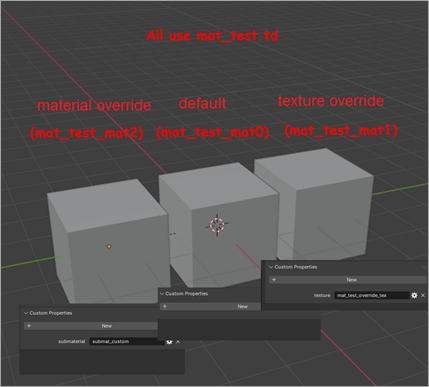
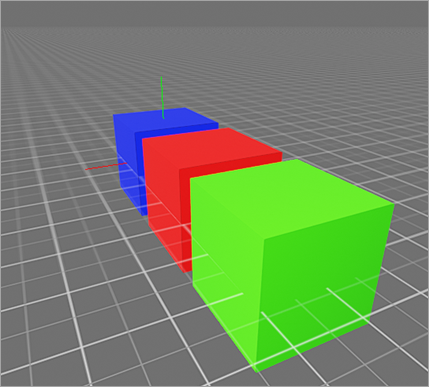
A lot of geometry use submaterials and texture overrides.
- Texture override — lets you use the same material, but with another texture.
- Submaterial override — lets you choose a non-default submaterial from the
tdfile.
When not specified in any way, following is used:
- Material name — the Blender material name (excluding the
_matNpostfix). - Texture name — the material name.
- Submaterial — default or empty.
To override texture name or submaterial, add a string custom property to the material:
submaterial— to override submaterial.texture— to override texture.
Make sure a mesh does not have the materials custom property, as it completely overrides material definition by priority.
Materials mat_test_mat0, mat_test_mat1, and mat_test_mat2 use the mat_test.td material. The _matN postfix is discarded and is used only to differentiate submaterials.
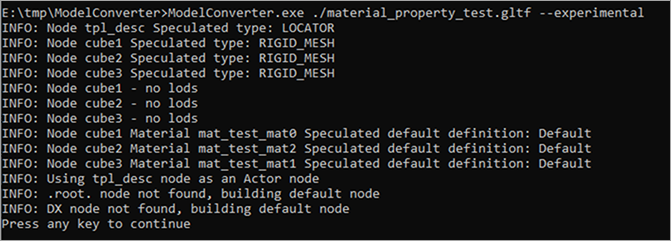
When compiling a GLTF file from the example_07 folder, use the --experimental option:
Warhammer 40,000: Space Marine 2 © Games Workshop Limited 2024. Space Marine, the Space Marine logo, GW, Games Workshop, 40K, Warhammer, Warhammer 40,000, 40,000, the 'Aquila' Double-headed Eagle logo, and all associated logos, illustrations, images, names, creatures, races, vehicles, locations, weapons, characters, and the distinctive likeness thereof, are either ® or TM, and/or © Games Workshop Limited, variably registered around the world, and used under licence. Focus Entertainment and its logos are trademarks, registered or not, of Focus Entertainment. Saber Interactive and its logos are trademarks, registered or not, of Saber Interactive. Powered by Wwise © 2006 – 2024 Audiokinetic Inc. Havok software is © 2024 Microsoft. Uses Bink Video. Copyright © 1997-2024 by Epic Games Tools LLC. All rights reserved to their respective owners.